
Advanced boolean algebra solver that instantly simplifies expressions with step-by-step solutions. This boolean algebra simplification calculator generates truth tables and logic diagrams for any Boolean expression.
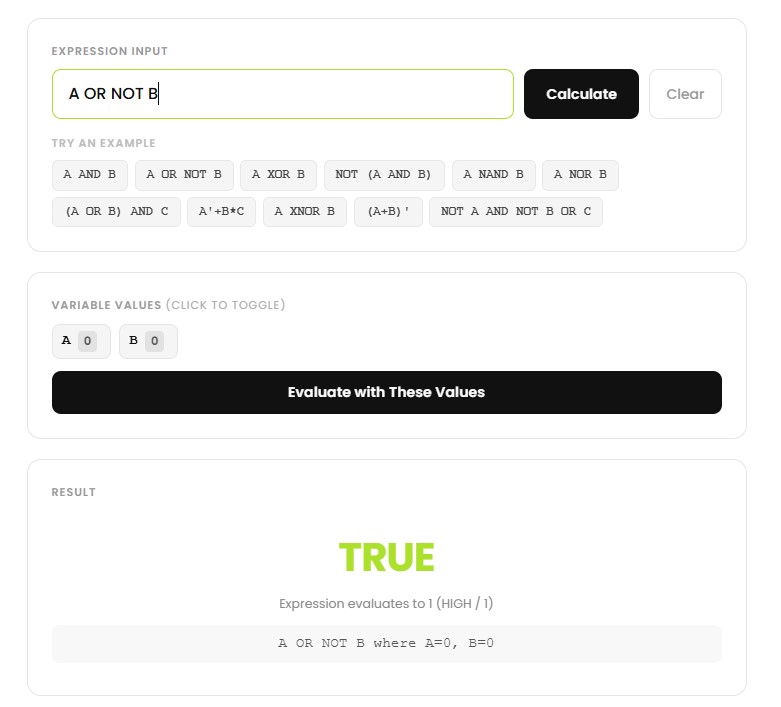
Type any Boolean expression using variables A-Z. Use + for OR, implicit multiplication for AND, and ‘ for NOT.
Our algorithm processes your expression through multiple tabs: simplification steps, truth table.
Review step-by-step simplification, verify with truth tables, and visualize.
Master these fundamental laws that our calculator applies automatically:
Simplify A·B + A·B’. Factor out A → A·(B + B’). Since B + B’ = 1 (a variable OR-ed with its complement is always true) → A·1 = A. A four-symbol expression collapses to a single variable.
Verify the absorption law A + A·B = A. When A = 0: 0 + 0·B = 0 ✓. When A = 1: 1 + 1·B = 1 ✓ (anything OR-ed with 1 is 1). Both rows agree, so the law holds.
| Law | OR form | AND form |
|---|---|---|
| Identity | A + 0 = A | A·1 = A |
| Complement | A + A’ = 1 | A·A’ = 0 |
| Idempotent | A + A = A | A·A = A |
| De Morgan’s | (A + B)’ = A’·B’ | (A·B)’ = A’ + B’ |
| Distributive | A + B·C = (A + B)·(A + C) | A·(B + C) = A·B + A·C |
| Absorption | A + A·B = A | A·(A + B) = A |
Beyond the classroom: digital circuit design (every logic gate in your phone’s chip), programming (if-conditions combine with AND, OR, NOT), database queries (SQL WHERE clauses), and search engines (operators like AND, OR, and minus-exclusion). If you have ever typed cats -dogs into Google, you have used Boolean algebra.
This boolean algebra calculator works with the most reliable algorithmic technique and makes use of Boolean algebra laws effectively. The answers provided by this boolean algebra calculator have been tested mathematically.
Of course. It is meant for educational purposes only. You will find it easier to learn using the step-by-step approach.
It allows a maximum of 8 variables for creating truth table and simplification. The K-map can be done for a maximum of 5 variables.
You need to use A-Z letters for variables, the "+" symbol for OR operation, place letters adjacent for AND operation (e.g., AB), and the ' sign for NOT operation (e.g., A').
© 2026 CalcVersa. All rights reserved.