
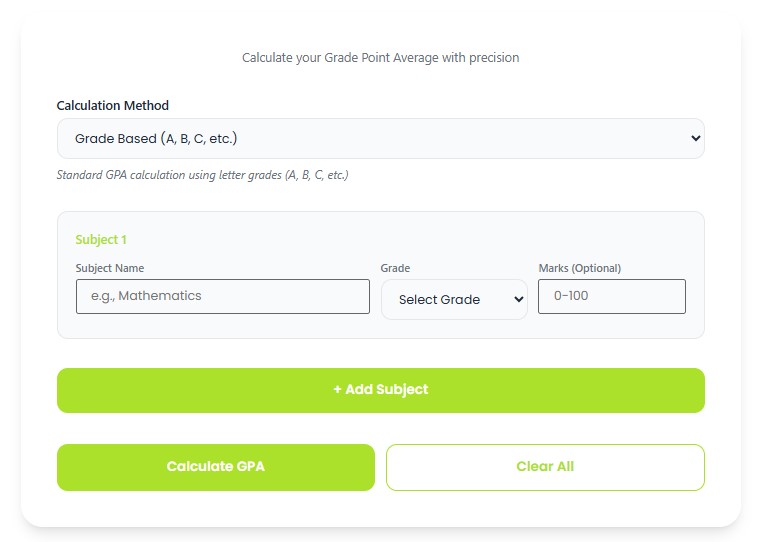
Calculate your Grade Point Average with precision
Standard GPA calculation using letter grades
Academics in high schools involve much more than just taking classes; they also include focusing on your Grade Point Average (GPA). It is an important figure that can affect your chances of being admitted to colleges, getting scholarships, and your general academic status. A high school GPA calculator can be considered as one of the main tools that students, parents, and teachers need to use to calculate their average grade points. Knowing how to calculate your GPA will allow you to make wise decisions about choosing courses and studying. If you are a freshman or a junior, calculating GPA can help you plan for four years of education at high schools.
An online high school GPA calculator is a computing application that allows you to calculate your grade point average by first assigning number scores corresponding to your letter grades and computing the average score using credit hours. Using a grade calculator makes calculations simpler because there are some courses that have weight attached, while others are part of the AP or honors program which add grade points to your scores. An online calculator uses several inputs such as the name of your courses, the grades earned, and course credits. You also indicate whether the courses are weighted or unweighted. The most current grade calculators accept multiple grading schemes like the conventional 4.0 scheme, 5.0 system for honors and AP courses, as well as other international grading systems. Students find the calculator useful because it helps them determine how a particular course contributes to their grade point average.
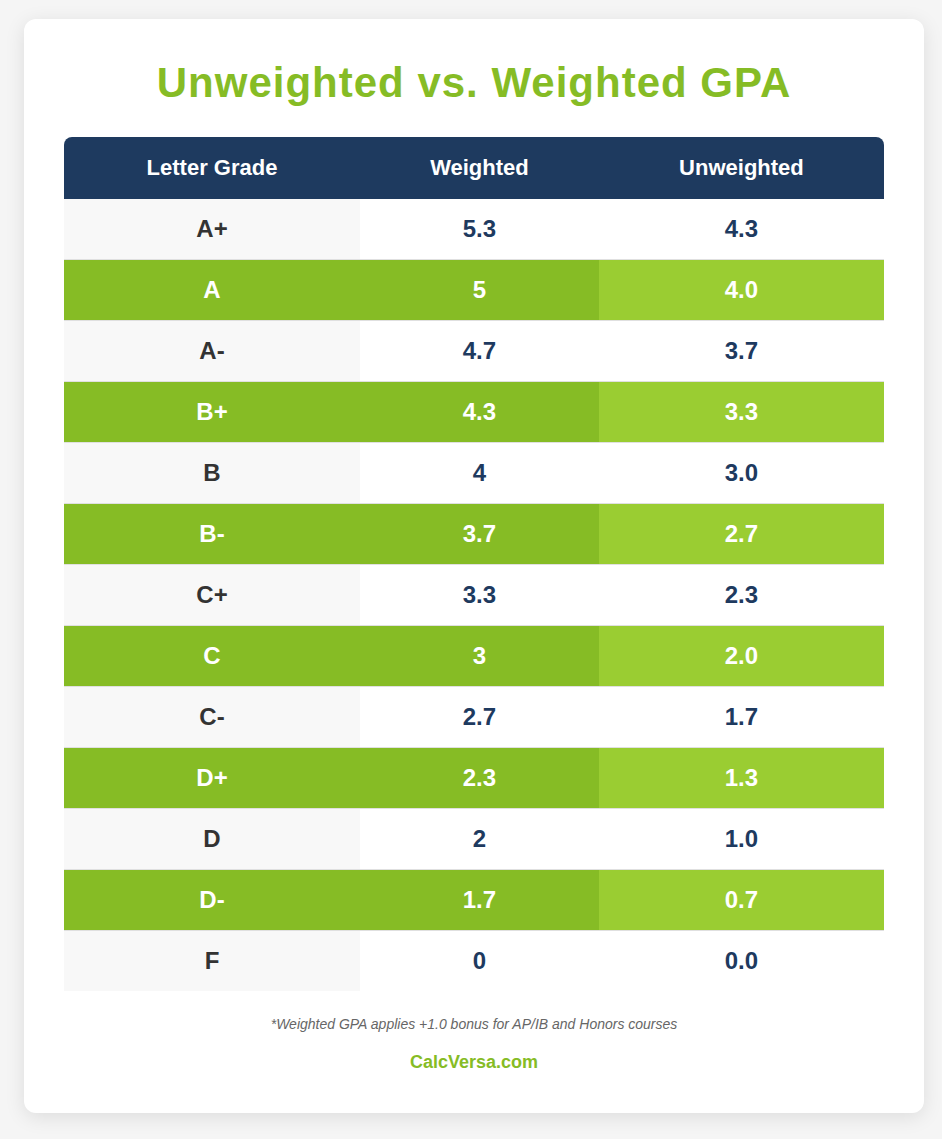
The working of a grade calculator depends on converting the grades to quality points, then multiplying by credit hours, and dividing by the total number of credits for the calculation of GPA. In the case of unweighted grade calculations, using the four-point system, an A grade earns 4.0 points, a B earns 3.0 points, a C earns 2.0 points, a D earns 1.0 point, while an F grade gets zero points. The grade calculator multiplies the quality points earned in a class multiplied by course credit hours to give the grade points earned; the total grade points divided by credit hours gives the GPA. Weighted GPA calculators have some extra features where an additional score is added to honors, AP or IB classes, usually from 0.5 to 1.0 extra points beyond the basic point system. For instance, an A grade in an AP class would earn five points instead of four. There are also advanced grade calculators which can compute semesters and years of GPA calculation; such GPA calculators provide forecasts for planning purposes.
The difference between a weighted and unweighted GPA calculator is among the key ideas that need to be known by any high school student in order to use a GPA calculator effectively. The first type of grading does not take into account difficulties of subjects, meaning that the maximum GPA would always be equal to 4.0 on the traditional scale. However, it can be seen as an unfair evaluation for a student who chooses advanced courses. Therefore, there is a need to consider the second option and take into account the difficulties of particular subjects, which allows reaching scores like 4.5, 5.0, or higher in some cases. In fact, a grade of ‘A’ in honors class may include 0.5 bonus points while grades in AP and IB courses can have 1.0 bonus points. Students will choose a proper mode in a GPA calculator depending on the required outcome because such a difference can make the results significantly different.
The computation of your high school GPA can either be done manually or through the use of a grade calculator and involves simple steps. Start by collecting your report card or grades in which there is an indication of the completed classes, their respective grades and how many credits you have taken per class. Each class earns either one credit if a year long or 0.5 credits for those that take only six months to complete. Next, convert all letter grades into the respective quality point values depending on the grading system your school uses. This is a standard system in which an A corresponds to 4.0 points, B to 3.0, C to 2.0, D to 1.0, and F to zero points. Once converted, multiply the quality points per class by the credit hours of the class to get the grade points for each class. In case a particular class earns 1.0 credit and the grade received is B, you get 1.5 grade points. To get the GPA, add all grade points and divide the total by all credit hours.
Though success in studies is crucial during one’s high school years, the general state of health of teenagers needs attention as well, as a balance of proper nutrition and overall healthy habits leads to better study results. The pressure of complex coursework, additional classes and numerous responsibilities can lead to poor health indicators that negatively affect academic progress. By using the BMI calculator, students can follow their body mass index, which will help them track their growth and develop good eating habits in order to grow up strong and healthy both physically and mentally. The use of a calorie calculator, on the other hand, allows students to understand how many calories they need for a particular level of activity and to maintain healthy nutrition, helping them meet academic challenges successfully. According to research, students who keep themselves in good condition perform better than those who lack certain nutrients. Thus, by combining the use of GPA calculators and healthy habits, students learn how to manage not only their academic achievements but also their health.
CalcVersa is designed to be simple and easy to use, allowing users to access free calculators for their everyday needs.
Explore additional tools like the Cumulative GPA Calculator and other math related calculators on the CalcVersa.
© 2026 CalcVersa. All rights reserved.