
Convert your audio files to different formats
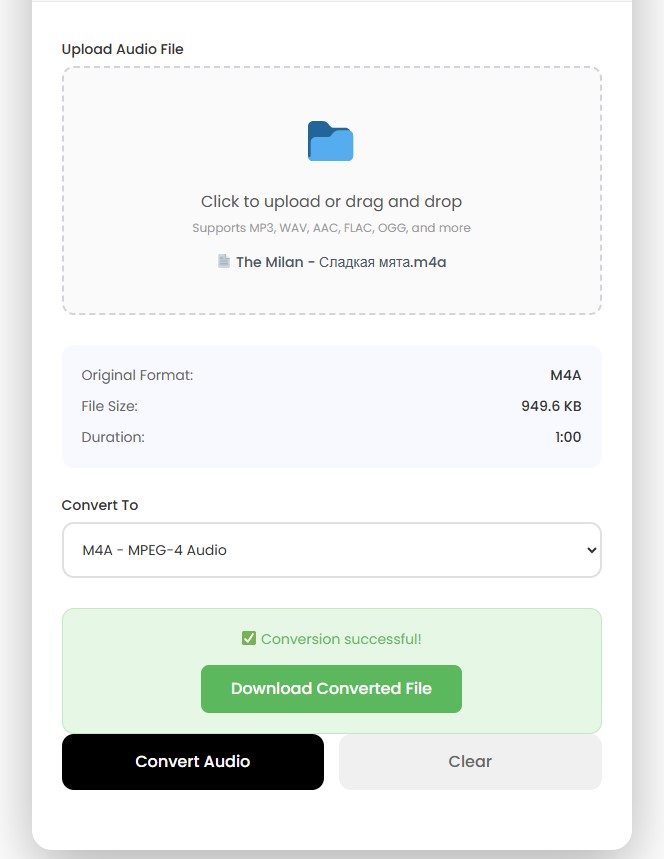
✅ Conversion successful!
Download Converted FileThe Audio Converter feature from CalcVersa converts an audio file into another audio format while using your browser. This is a handy tool for any user looking for an easy way to convert audio files, whether it is a musician sorting out samples, a podcaster preparing podcasts, or simply a user who needs to use a particular audio file on a particular device.
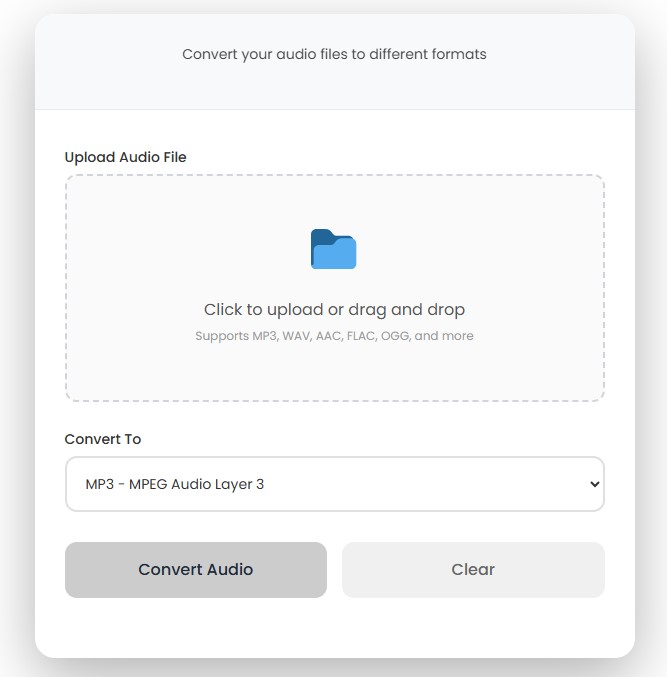
Every electronic device, application, and platform has its preferred format of audio. It is possible that an audio file recorded in one format won’t be played in another, and this is when a converter for audio formats comes in handy. The audio converter tool at CalcVersa converts audio files into the formats widely used by users including MP3, WAV, AAC, FLAC, and OGG.
No downloading of any software to your computer is needed because you can perform all conversions directly through a browser tab. The purpose of this tool for audio conversion is to cover all practical needs of the average user when they need to convert audio formats online.
It doesn’t matter whether you need to convert one song or a whole collection of recordings – the idea is to go from the existing format to the needed one.
Conversion of an audio file using this audio file converter is done through a very easy process that involves the following steps:
If you want to start over, the Clear option resets the tool so you can upload a different file.
Each audio format serves a different purpose. Here’s a quick look at the formats this converter supports.
This is the most popular format for its ability to compress audio content and reduce the size of the file while still sounding high-quality. Being compatible with all sorts of devices, applications, and media players, an MP3 converter can be considered one of the most needed types of converters.
This is an uncompressed file format. Therefore, it is able to provide audio with maximum quality but consumes a lot of space on the hard drive compared to the MP3.
It is a compressed audio file format and known for delivering good quality sound with smaller file sizes compared to older file formats. AAC is used for streaming audio and some platforms that care about file size more than about sound quality.
It stands for Free Lossless Audio Codec and is known for using lossless compression. Thus, it manages to reduce the file size but does not discard the data from the audio like MP3 and AAC do.
It is an open compressed format for audio content that provides a good balance between file size and quality.
People convert audio files for a range of practical reasons:
If you’re also dealing with other file types, CalcVersa’s Image Converter handles the same kind of format-switching for pictures.
Bit rate is the amount of audio data processed in one second, measured in kbps. Usually, the higher bit rate signifies the larger amount of data that is kept, thus providing high sound quality; however, the larger bit rate creates bigger files.
It should be mentioned that an increased bit rate does not improve the sound quality if it was poor from the beginning. If the source audio was of poor quality, then increasing its bit rate will just make the file larger without improving sound quality. Therefore, it is important to remember this characteristic while using any audio bit rate converter; the quality of output will depend on the quality of input audio.
There is no need to choose the highest bit rate if the file is used for other purposes rather than for listening to music. There is no need to spend extra money for purchasing additional memory cards to store your podcasts or voice recordings.
Beyond audio, CalcVersa offers a set of other conversion tools built with the same straightforward approach. If you regularly work across different file and data types, these tools cover common everyday conversions, including the Currency Converter for exchange rate calculations and the Timezone Converter for scheduling across regions.
For a broader range of measurement conversions, the Unit Converter is worth a look as well.
Audio Converter :
This is a program designed to change audio file format from one to another, for example, changing WAV format to MP3 format. It is used where there is no support for the original format file in the device, application, or platform being used, or where a smaller file format is preferred.
Load your audio file to the audio converter software, select MP3 format as your desired output format and click convert audio. After the conversion process is complete, download the new MP3 audio file. This is possible using supported audio formats such as WAV, AAC, FLAC, and OGG.
Yes. Load your WAV audio file, select MP3 as your desired output format, and convert. This is because WAV file format is usually larger compared to MP3 format.
Yes, it is possible to convert FLAC files to MP3 via this application. In case you are interested in a smaller file and its compatibility with many different players and do not care about preserving all details in sound, then this option will suit you.
It really depends on your needs. If you prefer high-quality audio with maximum detail and do not pay much attention to the size of the files, then FLAC is preferable, whereas MP3 and AAC are the better choice in case you value smaller files.
It is quite possible in some cases. Conversion from compressed to compressed formats leads to a loss of audio information, and conversion to a lossless format will not make the sound information which was already lost in the original file come back.
The term "bitrate" refers to the quantity of audio data that can be transmitted per second, with its measurement unit being kbps. It should be noted that the greater the bitrate, the more details can be retained, and the sound will be of better quality, but the file will be larger.
Yes, CalcVersa's audio converter is absolutely free to use. In other words, users can convert audio files for free, downloading the desired format.
As far as I understand, this converter can only be used for conversion of audio files uploaded by users. It means that this tool cannot work with YouTube links and cannot download audio from any video URLs.
CalcVersa provides easy-to-use online calculators designed to help users make informed financial decisions.
Explore additional tools like the Loan Calculator and other financial planning calculators on the CalcVersa.