
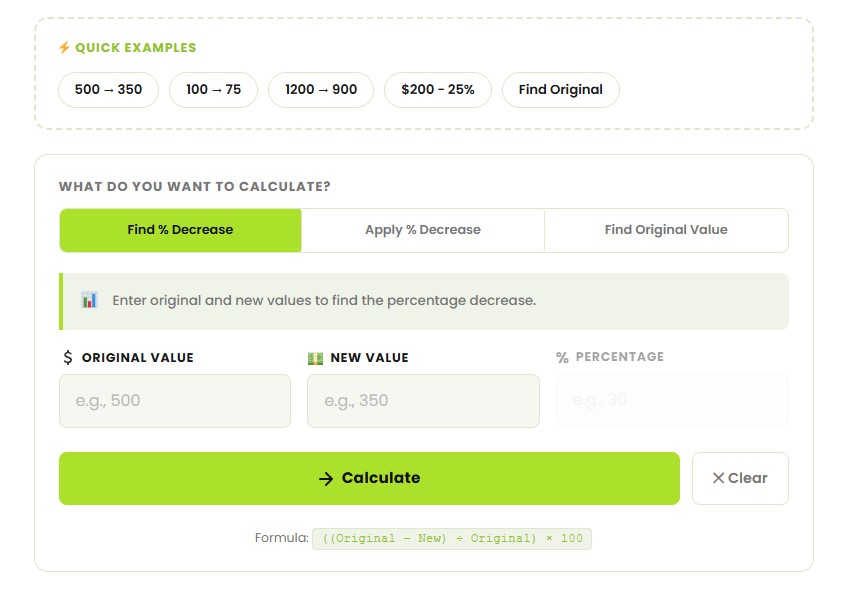
((Original − New) ÷ Original) × 100
Percentage Decrease Calculator – an advanced, completely free online tool which helps you calculate the percentage decrease from two numbers along with a graph, detailed solution, and several calculation methods. If you want to do some shopping or need help with math homework, you have come to the right place!
Percentage decrease is used to determine the extent of reduction from the initial quantity, expressed in terms of percentage. In other words, by what percentage did this figure decrease?
Percentage Decrease = ((Original Value – New Value) / |Original Value|) × 100%
For example, if a stock price drops from $100 to $75, the percentage decrease is:
((100 – 75) / 100) × 100% = 25% decrease
Insert original number and new number to compute the amount of reduction in terms of percentage. This represents the most frequent scenario where two numbers are compared against each other.
Insert the original number and a percent figure to obtain the result number due to the reduction. Useful when calculating discounts or decreases in cost.
Insert the new number and the rate of change to find out the original number before the reduction. It will be useful if you have the reduced price and discount rate but are looking for the original price.
A percentage decrease quantifies the extent to which an amount reduces, and it is always positive when the amount declines. On the other hand, percentage change can either be positive, indicating an increase, or negative, indicating a decrease.
In case your percentage decrease calculation gives a negative value, it implies that the amount increased. Our online percentage decrease calculator will alert you about this.
A jacket was $80 and is now on sale for $60. Decrease = 80 − 60 = $20. Percentage decrease = (20 ÷ 80) × 100 = 25%.
Your phone battery drops from 100% to 35%. Decrease = 100 − 35 = 65. Percentage decrease = (65 ÷ 100) × 100 = 65%.
Percentage Decrease = ((Original Value − New Value) ÷ Original Value) × 100
Three steps: 1) subtract the new value from the original, 2) divide by the original value, 3) multiply by 100. If the result is negative, the value actually increased — you need a percentage increase calculation instead.
Common mistake: dividing by the new value instead of the original. For the $80 → $60 jacket, (20 ÷ 60) × 100 = 33.3% is wrong. Always divide by the starting (original) value.
These are often confused. If an interest rate falls from 10% to 8%, that is a 2 percentage point drop – but the percentage decrease is (2 ÷ 10) × 100 = 20%. Percentage points measure the raw difference; percentage decrease measures it relative to where you started.
The formula for calculating percentage decrease is Percentage Decrease = ((Original Amount - New Amount) / |Original Amount|) * 100%. For instance, if an item that costs $100 falls to $75, then the percentage decrease is calculated as ((100-75)/100)*100% = 2
The formula for calculating the percentage decrease is Percentage Decrease = ((Original Amount – New Amount) / |Original Amount|) x 100%. If there is a product that costs $100 but later reduces to $75, the percentage decrease will be ((100-75)/100)x100% = 2.
Calculating the new value after the percentage decrease involves multiplying the original value by (1-Percentage/100). For instance, if the value was $200 but decreased by 15%, it becomes $200x(1-0.15)=$200x0.85=$170.
Percentage decrease refers to the rate at which a figure decreases (expressed as a positive value). However, percentage change can either be positive or negative since it shows any changes between two figures.
Percentage decrease can be applied in the following ways:
- Retail business when calculating discounts on products
- Finance when tracking the reduction in share prices
- Economics when determining GDP reduction
- Health care when monitoring bodyweight reduction
- Businesses when calculating reduction in costs
- Education when adjusting examination grades
© 2026 CalcVersa. All rights reserved.