
Use the productivity calculator provided above in order to determine how many units of output are generated with a particular quantity of input. The output can refer to number of units, number of tasks, number of calls, orders, or jobs, whereas the input can refer to the working hours, manpower, machine hours, cost of labor, and any other type of input.
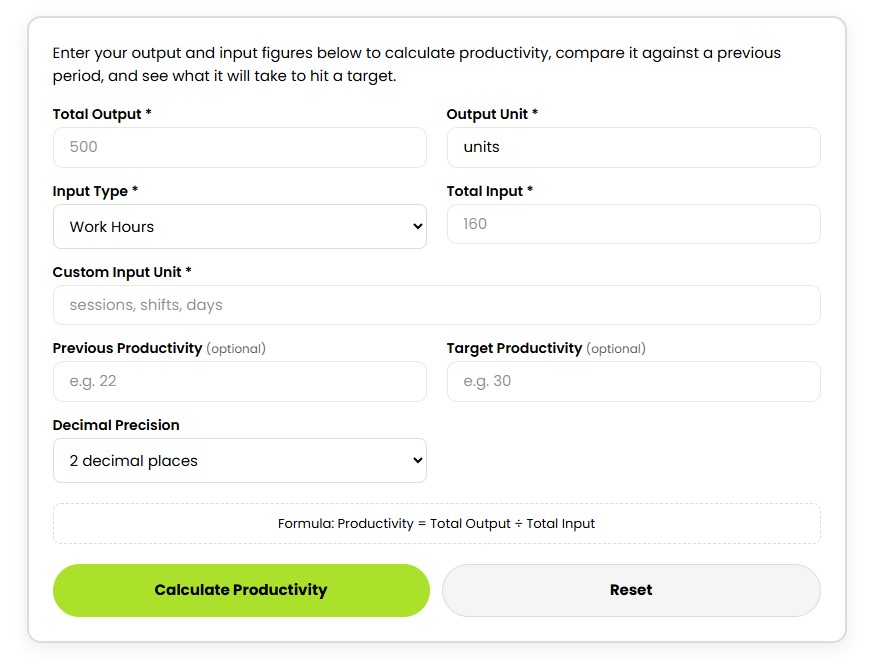
Enter your output and input figures below to calculate productivity, compare it against a previous period, and see what it will take to hit a target.
The total output for the period is entered in the form. The output unit has to be specified next (units, tasks, calls, orders, or items).
Choose the type of input corresponding to your data (work hours, number of workers, machine hours, cost of labor, or custom input). Input the total input utilized in producing the output mentioned above.
Both values have to refer to the same period. Enter previous productivity if you want to make a comparison or enter target productivity if you would like to calculate target output.
Choose the decimal places to be shown in the result and press Calculate Productivity. You will see the productivity rate, input per output unit, difference compared to the previous period, and the target output.
Consistency in units and reporting periods is crucial when you use the productivity percentage calculator. For reliable results, use the Productivity Calculator with output and input values collected during the same reporting period.
Broader labor productivity statistics and measurement information are also published by the U.S. Bureau of Labor Statistics
The basic productivity formula is:
Productivity = Total Output ÷ Total Input
Output refers to the amount of work done. Input refers to the input used in producing that output. The input can be quantified using hours of work, number of workers, machine hours, cost of labor, shifts, or other customized measurement units.
For instance, dividing completed orders by employee hours results in orders per work hour. Dividing produced units by machine hours will yield units per machine hour. The productivity rate calculation formula is more helpful when the output and input measures are consistent throughout all reporting periods.
For a complete step-by-step explanation and more worked examples, read our guide on how to calculate productivity.
Suppose a business produces 500 units during 20 total work hours.
Total Output = 500 units
Total Input = 20 work hours
Productivity = 500 ÷ 20
Productivity = 25 units per work hour
This example of productivity measure calculation shows that the company generated on average 25 units for each work hour invested.
Assume that before it had the productivity rate of 22 units per hour. Then the productivity rate has increased by about 13.64% in comparison with the old one.
Productivity can also be measured in the case of workers, machines, costs of labor, and other custom inputs using the same approach. It is important to keep output units, time period, and measurement procedure unchanged.
Productivity ratio indicates how many units of production are produced from one input unit chosen. A productivity value of 25 units per hour indicates that 25 units on average are produced from each hour worked.
Output to Input Percentage is the numeric ratio of the entered Output to Input. This result can be compared only with the calculations that used the same units and calculation method, since it is not necessarily an indicator of general efficiency.
This value indicates how much input is required to produce one output unit. For instance, 0.04 work hours per unit is equivalent to 2.4 minutes per unit.
If the previous productivity ratio is entered, the calculator will indicate whether the present productivity ratio is higher, lower, or unchanged. The same measurement method must be used both for the periods for comparison to have correct results.
If the desired productivity ratio is entered, the calculator will give the number of outputs required at the present input. It will also indicate how many more units should be produced to achieve the desired result.
Productivity measurement can be applied in manufacturing for productivity per labor or machine hour, in warehousing for orders picked and packed, and in call centers for calls handled compared to labor.
Sales and customer service representatives can measure activities per employee, while small companies can compare production with labor costs. Productivity outcomes can also aid staffing, production, employee productivity assessment, and shift comparison.
Comparing outputs in one period with inputs in another period should be avoided. Comparing output in different units while measuring productivity may lead to distorted results.
The productivity level may be overstated when factors like downtime, rest periods, re-workings, defective goods, or lost manpower hours are ignored. A typical error in the measurement of productivity includes equating increased quantity with increased performance.
It should be noted that productivity relates the output to input, but it does not necessarily indicate the quality, safety, satisfaction of customers, workers, or profitability.
Make use of the Productivity Calculator consistently using the same units of measurement throughout time. This is because consistency will make it easy for one to notice performance trends and even the level of production required in the future.
CalcVersa provides easy-to-use online calculators designed to help users make informed financial decisions.
Explore additional tools like the Loan Calculator and other financial planning calculators on the CalcVersa.